Matlab
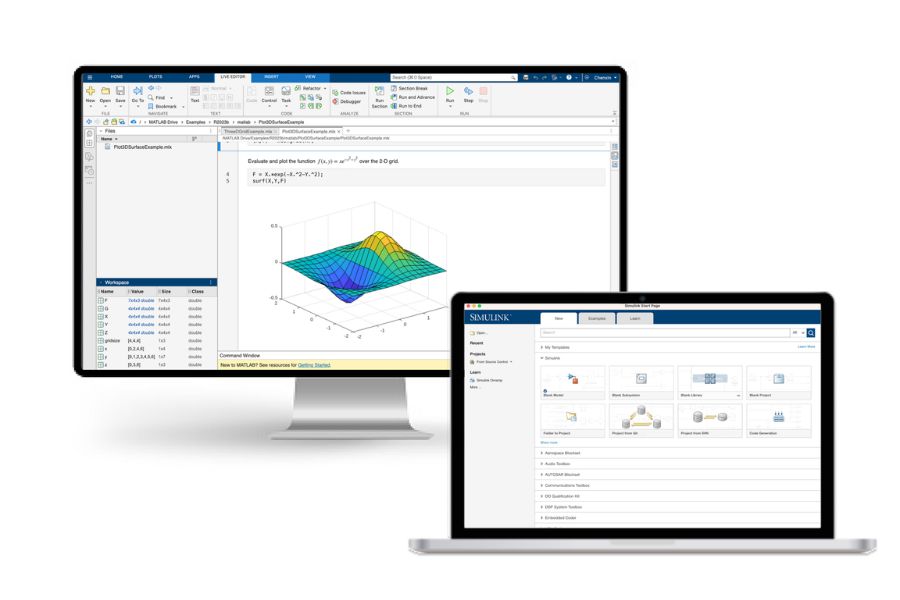
Universidad Miguel Hernández provides campus-wide access to MATLAB and Simulink for teaching, learning, research, and other academic work.
The license allows eligible members of the UMH community to use MATLAB and related MathWorks products on both University-owned and personal computers.
Who can use it: UMH faculty, researchers, professional and administrative staff, and students with an active institutional account.
To get started, go to the MATLAB portal and sign in with your UMH email address ( or ).
The first time you sign in, you’ll be asked to create or link a MathWorks account. Once signed in, you can choose to open MATLAB Online or install MATLAB on your computer.
What can you do with the campus license?
Through MathWorks, you can:
- Use MATLAB Online directly in your web browser;
- Download and install MATLAB on Windows, macOS, or Linux;
- Install the products and toolboxes included with the UMH campus license;
- Access Simulink and other specialized MathWorks tools covered by the license;
- Use MATLAB Copilot when available under the current licensing terms;
- Access MathWorks learning resources and online training.
Getting started
- Go to the MATLAB portal.
- Sign in with your UMH institutional email address.
- If this is your first time signing in, you’ll be asked to create or link a MathWorks account.
- Once signed in, choose either Open MATLAB Online or Install MATLAB.
Installing MATLAB on your computer
To install MATLAB:
- Go to the MATLAB portal and sign in with your UMH institutional account.
- Select Install MATLAB.
- Choose the MATLAB release you need and your operating system: Windows, macOS, or Linux.
- Download and run the installer.
- When prompted, sign in with the MathWorks account linked to your UMH email address.
- Select the products you need and start the installation.
- You don’t need to install every product included with the license. We recommend installing only MATLAB, Simulink, and the tools you need for your work.
Available products
The UMH campus license includes MATLAB, Simulink, and a wide range of specialized MathWorks products for teaching, research, data analysis, engineering, artificial intelligence, and other academic work. Available products include MATLAB Copilot, Simulink, Deep Learning Toolbox, Statistics and Machine Learning Toolbox, Computer Vision Toolbox, Image Processing Toolbox, Signal Processing Toolbox, and more.
Training and learning resources
Your UMH access also includes MathWorks learning resources and online training, so you can learn MATLAB and other tools at your own pace. These resources are especially useful if you’re new to MATLAB or want to build your skills.
Access and availability
Access is linked to your active UMH institutional account and is subject to the terms of the current campus license. Available products, online services, and additional features may change as the MathWorks agreement is updated.