Wireless networks
 |
Wireless network access: Iumhnet, Iumhweb, and Eduroam |
Description:
UMH has a wireless network, designed as an alternative connection method to traditional wired connections. This is intended to meet the needs of users who require specific connections in a dynamic and flexible way.
There is full coverage in common areas or temporary stay areas such as libraries, meeting rooms, auditoriums, large entrance halls or lobbies, reading or study rooms, cafeterias, etc.
There are three types of available connections:
- Secure connection: Iumhnet
- Open connection: Iumhweb
- Secure connection: eduroam
All information regarding the configuration and access to the UMH wireless network can be found in this document (PDF)  .
.

Finally, UMH is a member of the Eduroam (Educational Roaming) project, a RedIris initiative. This allows a user from another institution affiliated with this project to connect from our University without changing their equipment configuration, using the identifier and password from their home institution. Likewise, a user from our university can connect to the Internet from any of the networks included in Eduroam.
For more information about eduroam, you can visit the official eduroam websites on the Internet: www.eduroam.es and www.eduroam.org
Recipients:
PAS, PDI, Students, and Visitors of the UMH.
Requirements:
- To connect to the Iumhnet network, you must have a domain user for authentication.
- To connect to the Iumhweb network, you can authenticate with a domain user or with the student DNI/PIN.
- In the case of visiting users who do not have a domain user or DNI/PIN, they can obtain a password by connecting to the Iumhweb network and following the detailed instructions.
Service Request:
This service is active, so it only needs to be correctly configured for use.
If you are unable to connect after completing the configuration, you can request assistance through the User Support Center (CAU) of the IT Infrastructure Service.
Information and manuals:
To configure the Wi-Fi connection from your device, you can use the Eduroam automatic configuration service , or access it via the following QR code:
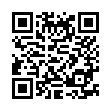
Important note about QR code readers
Consult all information about this service in the: Connection Document (PDF) .